

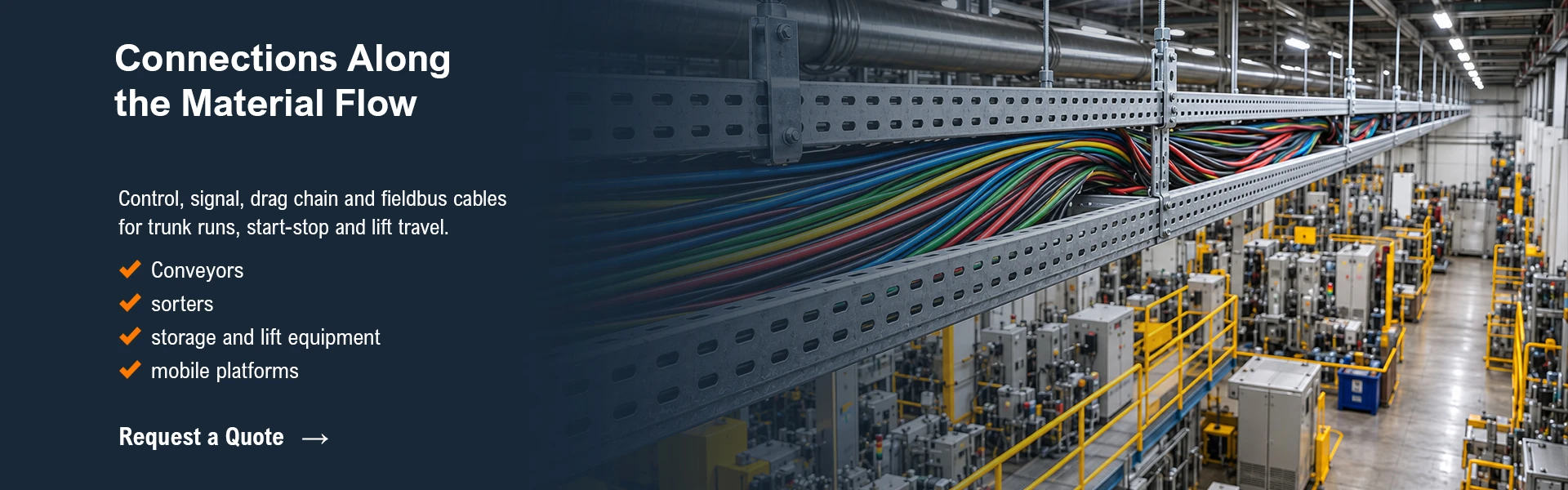
MATERIAL HANDLING & INTRALOGISTICS
Material Handling & Intralogistics Cables & Assemblies
A fixed conveyor trunk, a sorter that starts and stops with each item, and a lift carriage that travels through a carrier put different demands on the cable. KABASI supplies industrial cable and builds cable assemblies and wire harnesses to drawings for conveyors, sorters, storage equipment and mobile platforms.
Start with the link's position and movement. Then confirm the circuit function, zone protocol, maintenance break and what the drawing already defines.
See the Zone Link Architecture Review Delivery Paths

Zone Link Architecture Along the Material Flow
Follow the material from infeed through conveyor zones, divert points, storage or lifting, and mobile transfer. Use the zone nodes to locate where the trunk branches and where a section can be serviced.

01. Infeed and Induction
Photoelectric sensors, code readers, weighing devices and presence sensors pick up the item at the line entry.
Signal Cables
02. Conveyor Trunk Between Zones
Fixed runs along the line carry segment motor control, auxiliary power and the communication link between zones.
Control Cables Fieldbus Cables
03. Sorting, Diverting and Transfer
The actuator lead follows a repeating stroke. Nearby sensor and communication links trigger the transfer at the divert point.
Control Cables Drag Chain Cables
04. Automated Storage and Lift Equipment
Stacker cranes, shuttles and lift carriages can carry their cables through long horizontal or vertical travel.
Drag Chain Cables
05. Mobile Platforms and Transfer Carts
When a platform carries its own controls and network, confirm how the moving or trailing link follows the platform and where it connects to the fixed line.
Drag Chain Cables Industrial Ethernet Cables
06. Zone Control Cabinets and Distributed Nodes
Zone cabinets, field I/O boxes and junction points split and terminate the trunk. Keep these interfaces accessible for inspection and replacement.
UL Style Cables European Harmonized Cables Fieldbus Cables Custom Wire HarnessMark the Fixed-to-Moving Boundary
Keep the fixed trunk and moving section distinct on the drawing. Mark the transition where motion starts and place the maintenance break at an accessible zone boundary.
Three Connection Positions: Fixed Trunk, Dynamic Travel, Distributed Node
Classify each section by how it is installed and used. A single zone can include a fixed trunk, a moving link and a fixed node where that link branches.
Fixed Trunk
Typical Location
Between zones, cabinet drops and in-cabinet wiring
What to Confirm
Conductor count, voltage, shielding near drives, and clipped, tray or conduit installation.
Current Product Path
YSLY / YSLCY / YSLYCY
Control Cables UL Style Cables European Harmonized Cables
Dynamic Travel
Typical Location
Divert actuators, lift carriages, shuttles and platforms
What to Confirm
Travel, start-stop pattern, acceleration, bend radius, carrier or festoon arrangement, anchoring and end clearance.
Current Product Path
TRVV / TRVU
Drag Chain Cables
Distributed Node
Typical Location
Field I/O boxes, junction points and zone terminals
What to Confirm
Branch count, terminal or connector type, identification and whether the node is replaced as a unit or re-terminated.
Current Product Path
Fieldbus Cables Signal Cables Custom Wire Harness
A fixed cable in a moving carrier can fail where it is difficult to inspect. Specifying drag chain construction along an entirely fixed trunk can add cost across the run.
Selecting for Long Travel and Repeated Start-Stop
A storage lift can carry cable through a long stroke. A sorter can repeat a short stroke at each item. Review the motion data for each section.

Long Travel on Storage and Lift Equipment
The cable travels with the carriage. Review the moving cable mass, carrier support and end anchoring together, particularly on vertical runs.
- Travel length and where the fixed end is anchored
- Single carrier or sections with intermediate support
- Carrier fill and clearance between cables
- Available bend radius at the carriage and at the fixed end
Repeated Start-Stop on Sorting and Diverting Equipment
A divert actuator or transfer unit can repeat its stroke with every item. Acceleration and the way the cable bends at the moving end can matter even on a short stroke.
- Start-stop pattern and acceleration at the ends
- Short carrier, flexible loop or fixed loop with slack
- Clamp location and controlled bending near the moving end
- Dust, cardboard fiber, oil or washdown at the divert point
Review TRVV and TRVU against the actual travel, acceleration, start-stop pattern and available radius. Check the selected product's documentation for the intended duty.
Drag Chain CablesWhy It Changes the Selection
Helps determine the carrier layout, support and whether to divide the run.
Distinguishes occasional movement from repeated reversing duty.
Changes the load at the anchors and carriage.
Check the tighter radius against the exact cable documentation.
Leave space for the cables to move without rubbing.
Locate the controlled bend and set end restraint.
Review the jacket and carrier for dust, fiber, oil or washdown.
Zone Communication: Fieldbus Trunk and Industrial Ethernet Backbone
Map communication within each zone and between zone controllers. A link can cross a cabinet boundary or follow a carriage while remaining on the same network.
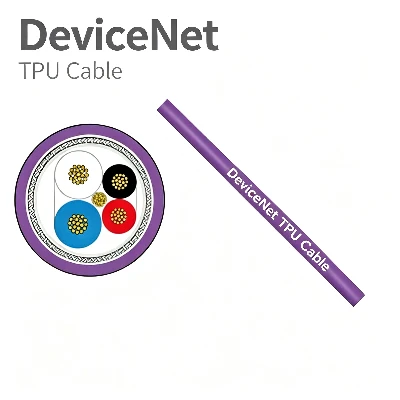
Fieldbus Inside a Zone
Zone drives, remote I/O, sensors and actuators may use CAN, CC-Link, DeviceNet, PROFIBUS or RS485. A fixed trunk can run along the conveyor frame, with drops to devices.
What to Confirm
Protocol, impedance, shielding, topology, termination, drop length and proximity to motor cables.
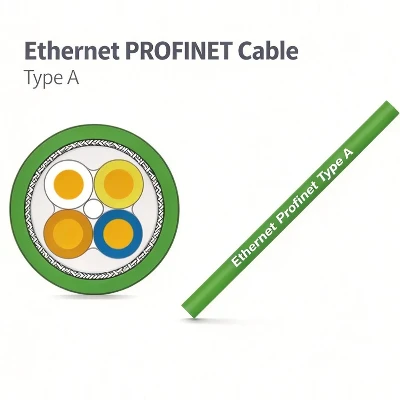
Industrial Ethernet Between Zones
Zone controllers, line controllers, drives and switches can share an industrial Ethernet network across fixed and moving segments. Check the specified PROFINET Type A/B/C/R or EtherCAT cable against the installation.
What to Confirm
Protocol, exact designation, connector interface, documented motion suitability and the fixed-to-moving transition point.
Fieldbus trunk
Network Requirement
Specified CAN, CC-Link, DeviceNet, PROFIBUS or RS485
Where It Sits
Conveyor frame within a zone
What to Confirm
Protocol, shielding, topology and termination
Fixed industrial Ethernet backbone
Network Requirement
Project-specified industrial Ethernet
Where It Sits
Between cabinets and zone controllers
What to Confirm
Exact cable designation, fixed route and connector interface
Moving industrial Ethernet section
Network Requirement
Documented cable construction for the motion
Where It Sits
Lift carriage, shuttle or transfer platform
What to Confirm
Product documentation, bend radius, travel and carrier arrangement
Fixed-to-moving transition
Network Requirement
Same network across two installation conditions
Where It Sits
Zone cabinet or carriage connection
What to Confirm
Interface, strain relief and documentation for both sections
Where the design calls for a protocol transition, place it at a defined cabinet or node. Review the cable construction for each installation section, even when the protocol stays the same.

Module Connections and Maintenance Replacement
Plan replacement boundaries on the drawing. Mark the links that should be removable by zone and record how each spare will be identified.
Locate the Break at a Service Point
Use an accessible zone cabinet, field I/O box or the start of the moving section. Where a wear-prone link needs its own replacement boundary, show that boundary on the drawing.
Specify the Finished Length and Slack
Pre-terminate repeated links to a defined length. Show the slack and clamp locations at both ends, especially where the link enters a carrier.
Match the Drawing, Cable and Spare
Use the same zone, segment and endpoint identifier on the drawing, assembly and spare. Track the revision for divert leads, lift carriage leads and trailing platform links.
What to Define
Define the break at an accessible zone boundary.
Specify a pre-terminated assembly and finished length.
Record slack and clamping at the moving end.
Specify the shield connection at the interface.
Keep the identification, drawing and revision together.
Three Delivery Paths for an Intralogistics Project
Choose the delivery route by who terminates the link and how much the drawing defines.
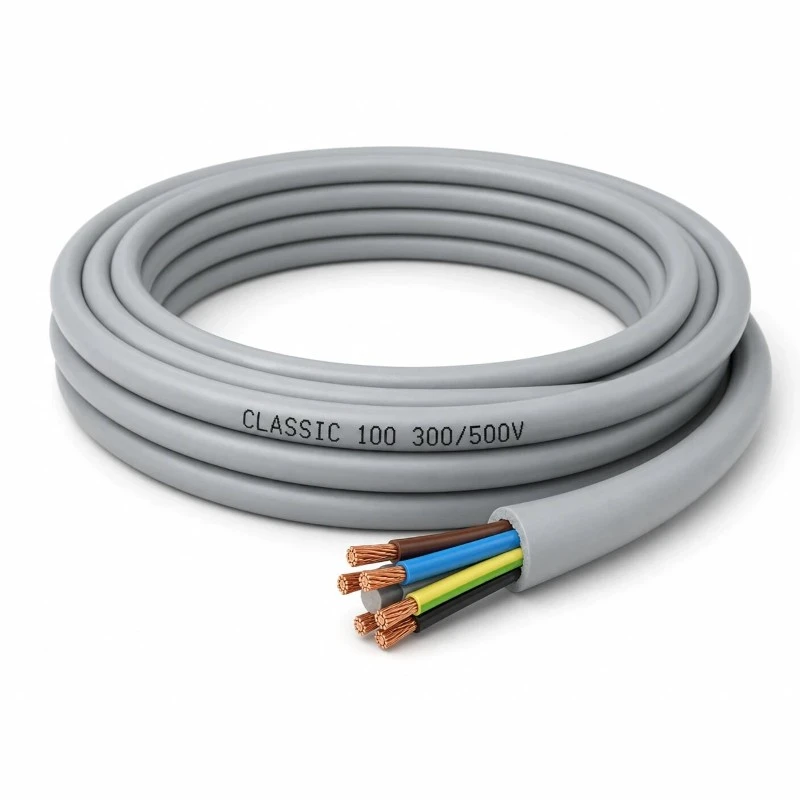
Industrial Cable Supply
For customers who cut, terminate and install bulk cable on site, once routing and lengths are known.
Typical Intralogistics Use
Conveyor trunk runs · Cabinet drops · Spare cable for maintenance
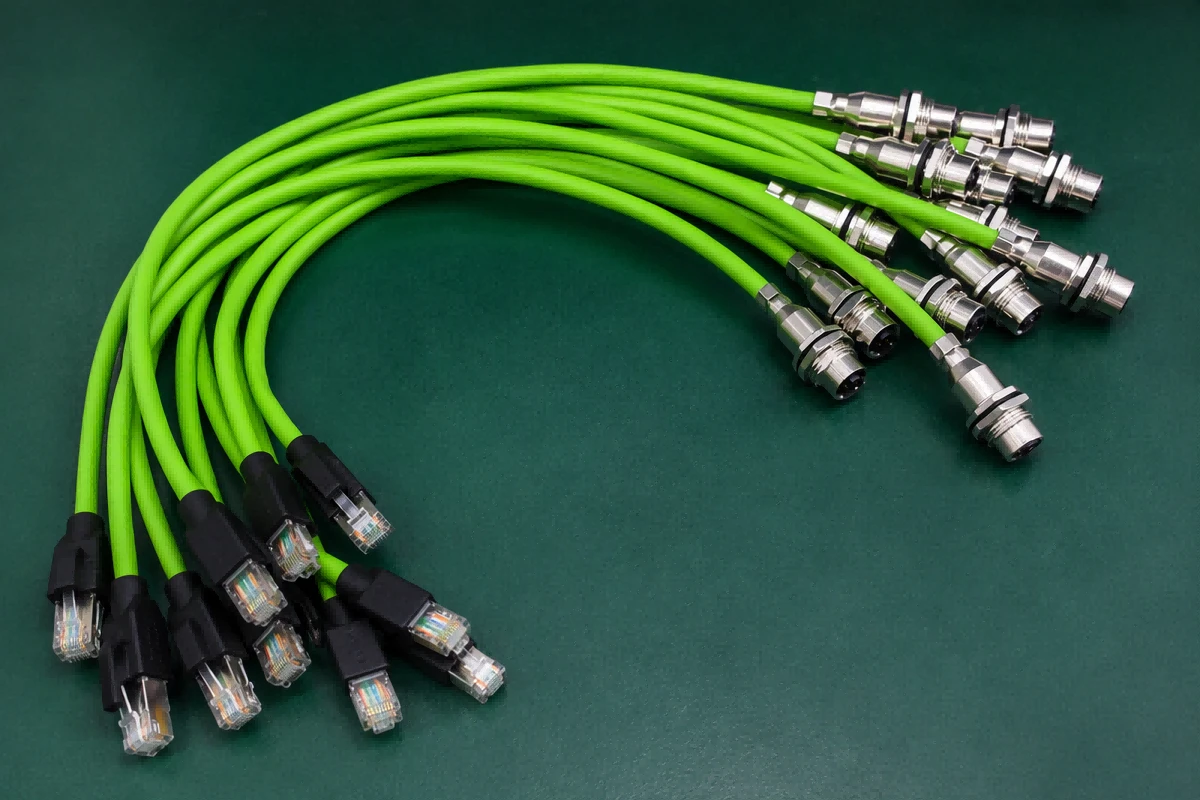
Point-to-Point Cable Assembly
One identified link with two endpoints, a selected base cable, a finished length, a pinout and end terminations.
Typical Intralogistics Use
Zone cabinet to drive · Sensor to field I/O · Divert or lift carriage lead · Platform link
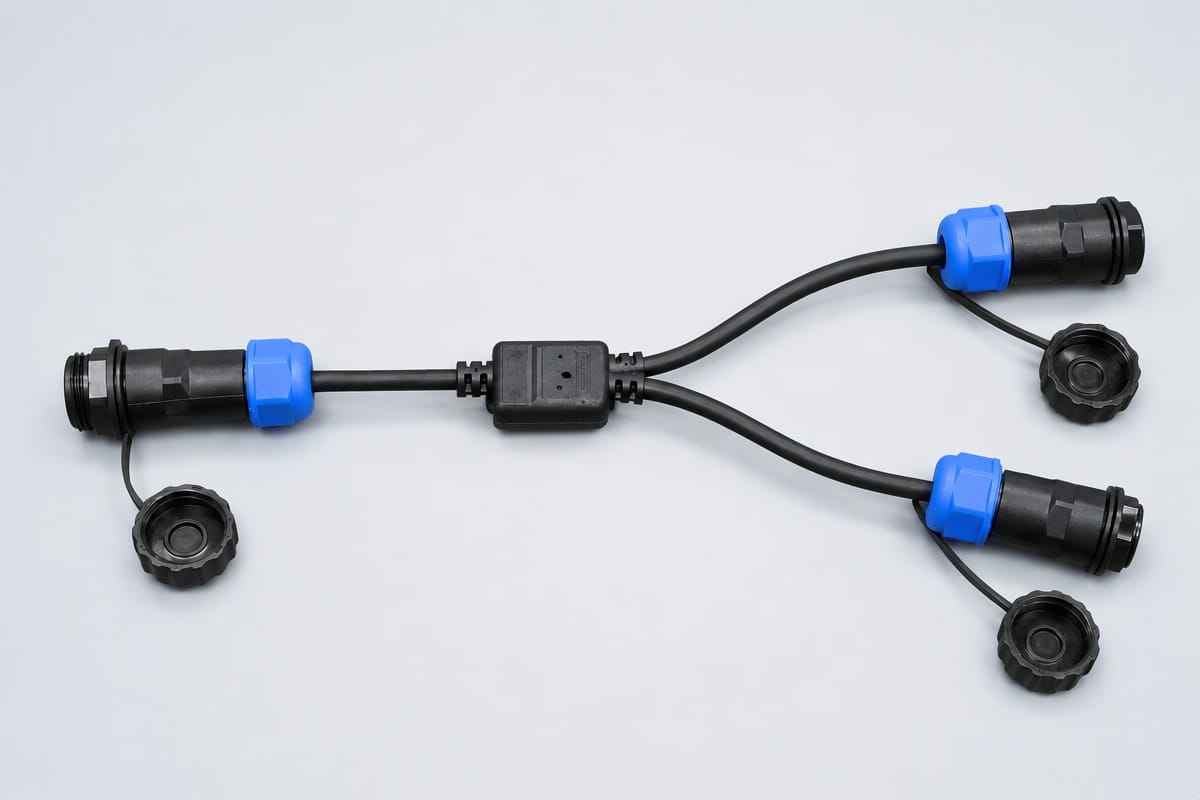
Multi-Branch Wire Harness
Several wires, branches and endpoints built to a defined connection matrix.
Typical Intralogistics Use
Zone cabinet wiring · Field I/O to several sensors and actuators · Mobile platform wiring · Sorter segment harness
Delivery Path
Industrial cable supply
Point-to-point cable assembly
Multi-branch wire harness
Information to Confirm for a Material Handling Cable Project
Information to Confirm
Infeed, trunk, divert, storage or lift, platform or zone node
Conveyor drive, diverter, sensor, code reader, remote I/O, lift carriage or platform controller
Control, signal, power, feedback or communication
Voltage, current, conductor size and core or pair count
CAN, CC-Link, DeviceNet, PROFIBUS, RS485, PROFINET or EtherCAT
Fixed, occasional flex or drag chain, plus travel, start-stop pattern, acceleration and bend radius
Dust, cardboard fiber, oil, coolant, washdown, temperature and jacket requirements
Connector, terminal, pinout, branch layout, finished length and slack
Break location, identification, spare strategy and shield continuity
Specified brand, UL Style, H-code, markings and required product documents
Is a Cable Brand Specified in the BOM?
If the drawing or BOM names a manufacturer or product family, check the available brand category before confirming the exact cable and documents. Brand names are used solely to identify customer-specified cable.
Material Handling and Intralogistics Cable FAQs
Does a long conveyor line need the same cable along its whole length?
Split the line by connection position and duty. A fixed trunk can use the specified control or fieldbus construction, while a divert, lift or trailing platform link needs a cable documented for its movement.
Why is the cable on a sorter different from the cable on the conveyor frame?
A sorter lead may flex and accelerate with each divert stroke. A cable fixed to the frame is selected around its installation, environment and interference exposure. Check motion duty even when the electrical ratings match.
What matters most on a lift carriage or stacker crane?
Start with travel and anchoring. Confirm carrier support, clearance, the bend radius available at the carriage and the moving cable mass, particularly on long vertical runs.
How should a mobile platform be connected to the line?
Define how the platform moves and how the link follows it. Mark the fixed-to-moving transition, then confirm the required network, travel, routing space and cable documentation for that link.
Should zone controllers use fieldbus or industrial Ethernet?
Follow the line's specified network architecture. Identify the protocol at each link, then check that the exact cable also fits the fixed or moving installation.
How can a section be prepared for replacement?
Define accessible breaks, finished lengths and identifiers by zone, segment and endpoint. This helps isolate the part that needs replacement. Which parts of the line can stay in service depends on the system design and site procedures.
Review Your Material Handling Cable Requirement
Send the line layout or BOM with the connection positions, devices, protocol, travel, start-stop pattern, environment and planned replacement boundaries. KABASI can review the cable category and delivery route for each section.
Send Your Line Layout or BOM Browse Industrial Cables
Industries / Material Handling & Intralogistics